We are pleased to announce the A2E dubbing API with premieum voice and lip-sync quality. Let us go through the API step by step
First, as usual, let’s create an API token (skip this step if you already have an API token) using your login user name and the md5 value of the password

Provide the login token to get the api token

In this case, our original mp4 file (https://www.youtube.com/watch?v=glY-Gy8Z2Pk) is downloaded and saved into our S3 bucket.
We use https://video.a2e.ai/api/v1/userDubbing/startDubbing to “start dubbing”

Remember to set “target_lang” and “source_lang” and “num_speakers”. You will end up with a response showing current_status=”sent”. Keep the “_id” (66ebe3fff47527d543f75b6e in our case) for future queries.
Wait for a while (usually a few minutes), query for its status using “_id”

We got “completed”. Keep the result_url which is the translated audio file, for future lip-motion synthesis.
Next, we add this video to our avatar list by https://video.a2e.ai/api/v1/userVideoTwin/startTraining

Keep the “_id” in the response for future use. In our case, the “_id” is 66ebecb24cff1fd59cac23bd
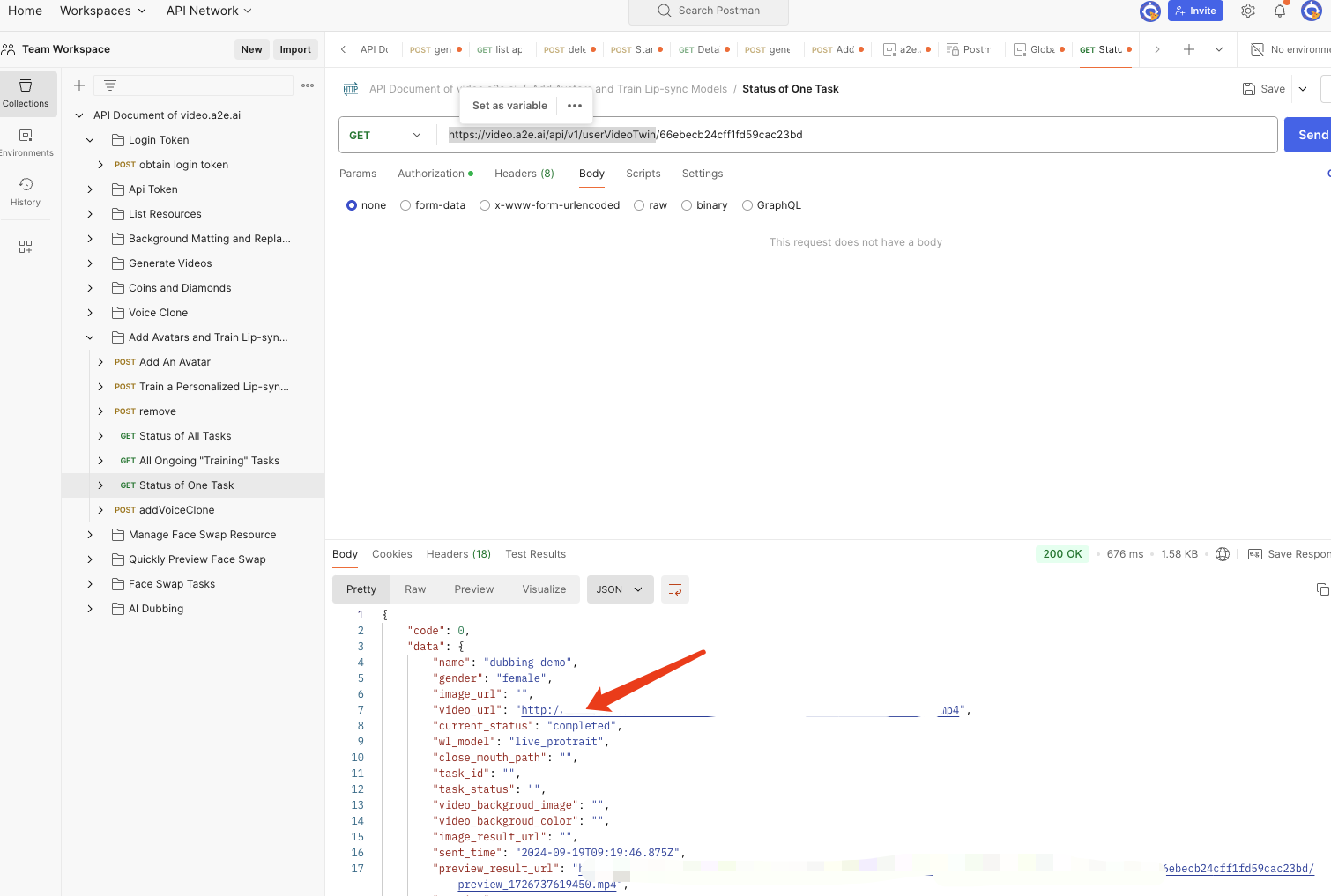
Wait for a few minutes, use https://video.a2e.ai/api/v1/userVideoTwin to check the status of the avatar addition:

We see it’s completed. The returned “_id” is the same as our query (66ebecb24cff1fd59cac23bd).

Use https://video.a2e.ai/api/v1/anchor/character_list to get the anchor_id. Remember to set “type” as custom.

We get anchor_id as 66ebecd7af6999f007c827a1. Use https://video.a2e.ai/api/v1/video/generate to create a video with AI driven lip-sync that matches the translated audio. Copy 66ebecd7af6999f007c827a1 to anchor_id. Copy the dubbing result mp3 to audioSrc. Set isSkipRs to True because we do not want to change the moton speed of the input video. Do not set back_id because we do not want to change the background.

We got “init” as the immediate status. Keep the _id of this video synthesis task:

Check the status of this newly submitted video synthesis task using https://video.a2e.ai/api/v1/video/awsResult

While the system is processing, you will read “process” in the “status” field. The processing time is usually 1:5, i.e. it takes 5 minutes to process a 1 minute input video. Wait for a few minutes, until the status turns “success”

Congratulations! You can download your result video using the “result” URL.
Check it out: