Two days ago, OpenAI rolled out ChatGPT Images 2.0 — powered by a new model called GPT Image 2. It’s available in ChatGPT, Codex, and through the API. I’ve been using the previous version for client work since last spring — mostly through A2E, which plugs directly into OpenAI’s official models so I don’t have to mess with API keys or code. When the update dropped on April 21st, I cleared my afternoon and started testing.
The pitch from OpenAI this time isn’t just “better-looking images.” Their exact framing: image generation that’s more usable for real work, not just visual experimentation. That means dense text, structured layouts, UI mockups, infographics, print-ready designs — the kind of output that used to require Photoshop cleanup after every generation. After 48 hours of real-world testing, here’s my honest GPT Image 2 review.
The Short Version — Should You Switch?
If you’re already using an earlier version of ChatGPT’s image generator — whether directly in ChatGPT or through a platform like A2E: yes, switch now. The text rendering alone makes it worth it. I used to spend 20-30 minutes per project fixing garbled text in Photoshop after generation. That step is essentially gone.
If you’re coming from Midjourney or DALL-E 3 and want reliable text in images, this is the first model I’d genuinely recommend. It’s not perfect, but the gap between “AI-generated poster” and “designer-made poster” just got much smaller.
Quick context: Most of my testing was done through A2E, which connects directly to OpenAI’s official GPT Image 2 model. If you’re not a developer, A2E is much easier to work with — no API keys, no code, just type your prompt and go. I also cross-checked a few outputs in ChatGPT Plus to confirm the results are consistent. Same model under the hood either way.
Text Rendering: The Biggest Leap Forward
Let’s get straight to the headline feature, because it’s the reason most people are paying attention to this release.
Until now, every AI image model I’ve used — including Google’s Nano Banana 2 — has been frustrating when it comes to text. You’d ask for a poster with “Grand Opening — Saturday, March 15th” and get something like “Grnad Openiing — Satrday, Mrch 15h.” Nano Banana 2 handles short strings (a few words) reasonably well, but once you go beyond 8 words or need multi-line copy, accuracy drops fast.
GPT Image 2 claims around 99% glyph accuracy for English text. Based on my testing, that number tracks. Over roughly 60 generations involving text, I got clean, accurate copy on the first try about 55 times. The remaining handful had minor issues — a missing comma, a slightly misaligned letter in very small font sizes. That’s a clear step above Nano Banana 2, which I’d put at around 80-85% for the same prompts.
Prompt: A bakery grand opening poster. Headline: “Grand Opening — Saturday, March 15th”. Subheadline: “Freshly Baked, Daily”. Address: “128 Oak Street, Brooklyn, NY 11201”. Three bullet points: “Artisan sourdough & pastries”, “Free coffee with every purchase”, “Live acoustic music from 10am”. A small round logo at the bottom with the text “Brew & Flour”. Warm earthy color palette, cream background, brown and gold accents, hand-drawn bread illustration in the corner. Print-ready poster, vertical format.
Nano Banana

GPT Image 2.0

Where it gets interesting is multilingual text. I tested Japanese, Korean, and Chinese characters alongside English, and the results were surprisingly clean. A bilingual event flyer with English headlines and Japanese body copy came out readable on the first generation. Nano Banana 2 can handle some CJK text, but longer strings and mixed-language layouts still trip it up. GPT Image 2 is noticeably more reliable here.
One caveat: very dense text blocks (think a full paragraph at 10pt equivalent) still cause occasional errors. My workaround is keeping text prompts to headlines and short labels — the sweet spot where this model really shines.
Layout, Composition, and Dense Designs
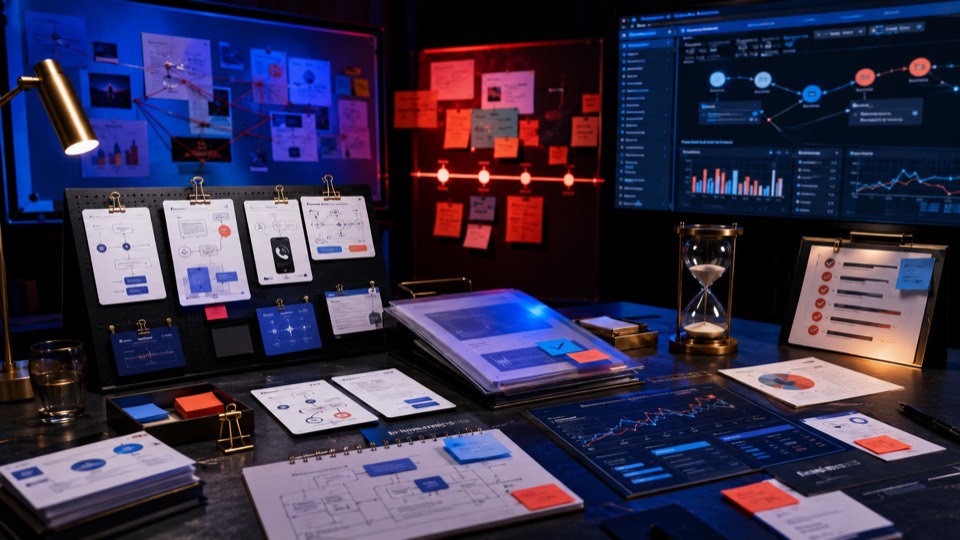
This is where the “usable for real work” claim gets tested. Previous image models could make beautiful single-subject pictures, but the moment you asked for something with structure — a poster with headlines, subheads, and body copy; an infographic with data and labels; a UI mockup with buttons and text fields — things fell apart fast.
GPT Image 2 treats layout as a first-class problem. According to OpenAI, it’s “significantly better at placing objects accurately, handling a wider range of aspect ratios, and generating images across more languages” — and from my testing, that’s not marketing fluff.
I tested a few categories that used to be pain points:
- Posters with dense copy: A café launch poster with headline, date, address, three bullet points, and a footer logo. The hierarchy was clean — headline largest, supporting text properly sized, nothing overlapping. First try.
- Infographics: A comparison chart of three product tiers with pricing, feature lists, and icons. The columns stayed aligned, the numbers were correct, and the visual weight was balanced. This would’ve taken 3-4 regenerations on the old model.
- UI mockups: A mobile settings screen with toggles, labels, and a navigation bar. The elements were properly spaced, the toggle states made visual sense, and the text was pixel-sharp. Not production-ready code, obviously, but as a design reference it’s solid.
Nano Banana

GPT Image 2.0

Nano Banana

GPT Image 2.0

Nano Banana

GPT Image 2.0

The aspect ratio flexibility helps a lot here. The model supports ratios from 3:1 (ultra-wide banners) to 1:3 (tall mobile stories), so you can generate assets for specific platforms without awkward cropping. I made Instagram stories (9:16), LinkedIn banners (4:1), and standard presentation slides (16:9) without any post-processing resize.
Where it still breaks down: Magazine-style layouts with multiple columns of running text, pull quotes, and image insets. The model can approximate the look, but the text flow logic isn’t there yet — paragraphs sometimes restart mid-sentence or repeat phrases. For now, keep your layouts to “poster density” rather than “editorial spread density.”
Speed and Architecture Changes
GPT Image 2 generates a high-quality 1024×1024 image in roughly 3-5 seconds. That’s competitive with Nano Banana 2, which hits about 2-5 seconds for standard quality and 5-12 seconds for high-res. In practice, both feel snappy enough that you’re never staring at a loading screen.
The bigger story is the architectural shift. OpenAI’s previous models used a two-stage pipeline — a text model would “plan” the image first, then the generation model would execute. GPT Image 2 does this in a single pass, which eliminates the old handoff latency.
Where GPT Image 2 pulls ahead on speed is for complex prompts with text and layout. Nano Banana 2 often needs multiple regenerations to get text right, which means your effective time-to-usable-output is much longer even if each individual generation is fast. With GPT Image 2, I found I was getting usable outputs on the first or second try far more often.
Raw generation speed is roughly a tie. But “time to a result you can actually use” — that’s where GPT Image 2 wins. Fewer retries, fewer Photoshop fixes, fewer wasted credits.
Image Quality, Color, and Realism
This is where I have to be honest: Nano Banana 2 still has an edge in pure photorealism. Skin textures, material surfaces, cinematic lighting — Google’s model produces images that look more “photographed” out of the box. If your primary use case is photorealistic portraits or product photography where every pore and reflection matters, Nano Banana 2 is hard to beat.
That said, GPT Image 2 has closed the gap significantly. Color accuracy is excellent — neutral grays are neutral, white backgrounds are white, daylight scenes don’t have the warm amber tint that plagued earlier OpenAI models. Hands have the right number of fingers more consistently, and lighting on faces follows physics more accurately.
Prompt: A white ceramic coffee mug sitting on a clean white surface. Studio product photography, single soft light source from the upper left, subtle shadow on the right side. No background elements, no text, no props — just the mug centered in frame. Neutral color temperature, true-to-life white balance. Square format, high resolution.
Nano Banana

GPT Image 2.0

Both models support native 2K resolution (2048×2048). GPT Image 2 offers flexible aspect ratios from 3:1 ultra-wide to 1:3 ultra-tall. For most social media and web use cases, the output is print-ready without any upscaling step. I tested it on Instagram carousel graphics (1080×1350) and the detail held up perfectly.
Where realism still falls short
Complex multi-person scenes. I tried generating a group photo of 6 people at a dinner table and got the usual issues — one person’s arm disappearing behind someone else’s shoulder unnaturally, a fork that merged with a wine glass. For group shots beyond 3 people, I’d still recommend generating individuals separately and compositing.
Multi-Image Consistency
This is a feature that doesn’t get enough attention. When you enable thinking mode in ChatGPT, GPT Image 2 can generate up to 8 images from a single prompt while maintaining consistent characters, objects, and visual style across all of them.
I tested this for a product launch campaign. One prompt: “A woman in a navy blazer holding a coffee tumbler, photographed in a modern office. Generate 8 variations: different angles, different lighting setups, one close-up of the tumbler.” I got back 8 images where the same woman — same face, same blazer, same tumbler — appeared in distinct setups. Not identical, but recognizably the same person.
Nano Banana

GPT Image 2.0

OpenAI specifically calls out use cases like manga pages, social media graphic series, and room-by-room design plans — and those examples make sense. Anywhere you need visual continuity across a set of outputs, this feature saves real time. Previously, maintaining character consistency across multiple generations required careful prompt engineering with reference images and a lot of luck. Now it largely works out of the box.
For brand campaigns and e-commerce, this changes the workflow. Instead of generating one hero image and then fighting to recreate the same look for supporting graphics, you get the full set in one prompt. I used it for a product launch: one prompt, eight outputs — a hero banner, three social crops, two email header variations, and two detail shots. Same product, same lighting, same style throughout.
Availability note: Multi-image generation requires thinking mode, which is available to ChatGPT Plus, Pro, Business, and Enterprise subscribers. On A2E, this works seamlessly — just toggle thinking mode on and request multiple outputs.
Thinking Mode and Web Search
GPT Image 2 introduces something genuinely new for image generation: a reasoning step before the model starts drawing. OpenAI describes it as the model being able to “reason through the structure of the image before generating.” In practice, that means it doesn’t just jump straight to pixels — it plans the composition, considering layout, element placement, text positioning, and style consistency first.
In practice, thinking mode produces noticeably better results for complex prompts. A prompt like “infographic comparing electric vehicle ranges in 2025, bar chart style, blue and green color scheme, include actual numbers” came out structured and readable on the first try with thinking enabled. Without it, the layout was messier and some numbers were wrong.
The web search capability is the other big addition. With thinking mode on, GPT Image 2 can pull real-time information from the web and incorporate it into generated images. I asked for “a map showing the top 5 US cities by population in 2025” and it produced a map with correct city labels and reasonable population figures — pulled live, not from training data.
There’s also a file-based workflow. You can upload a document — a PDF report, a spreadsheet, a research paper — and ask ChatGPT to create a visual explainer based on its contents. I tested this with a 12-page market research PDF and asked for “a one-page visual summary with key statistics highlighted.” The output captured the main data points and presented them in a clean infographic layout. Not flawless — it cherry-picked some numbers over others — but as a starting point, it saved me at least an hour of manual design work.
GPT Image 2 vs Nano Banana 2 — Quick Comparison
I’ve spent real production time with all three versions. Here’s what the progression actually looks like from a working user’s perspective:
| Feature | GPT Image 2 | Nano Banana 2 |
|---|---|---|
| Text accuracy (8+ words) | ~99%, multilingual | ~80-85%, short strings better |
| Dense layout handling | Posters, infographics, UI | Basic compositions only |
| Photorealism (portraits) | Good, slightly smooth | Best-in-class skin & texture |
| Generation speed | 3-5 seconds | 2-5 seconds (Flash arch.) |
| Max native resolution | 2K (2048×2048) | 2K + 4K upscaling |
| Color accuracy | Neutral, accurate | Good, slight warm shift |
| Multi-image consistency | Up to 8 images | Not available |
| Thinking / reasoning | Built-in | Not available |
| Web search in generation | Yes (thinking mode) | Grounding with live search |
| File upload → visual | PDF, docs, spreadsheets | No |
| Hand/finger accuracy | Major improvement | Good, occasional issues |
| Cinematic lighting | Good | Superior light falloff |
| Aspect ratio range | 3:1 to 1:3 | Flexible presets |
| Arena.ai Elo score | 1,512 | 1,271 |
The pattern is clear. GPT Image 2 wins on structure — text, layouts, multi-image, reasoning. Nano Banana 2 wins on aesthetics — photorealism, lighting, textures. If your image has words on it, GPT Image 2 is the better tool. If your image is purely visual and realism matters most, Nano Banana 2 still holds its own.
On the Arena.ai Text-to-Image leaderboard, GPT Image 2 scored 1,512 — a 241-point lead over Nano Banana 2’s 1,271. That’s the largest margin in the leaderboard’s history. Benchmarks don’t tell the full story (Nano Banana 2 is genuinely better at certain visual tasks), but for the kind of work I do — marketing graphics, product mockups, anything with text — the numbers match my experience.
What does it cost?
If you’re using the OpenAI API directly, pricing is token-based. In practical terms:
- Low-quality square image: ~$0.02
- Medium quality: ~$0.07
- High quality (1024×1024): ~$0.19
Through ChatGPT, it’s bundled into your subscription. Through A2E, pricing depends on your plan — but because it’s calling the same official model, the output quality is identical.
Final Verdict + Who Should Use This
What I Liked
- Text rendering is finally trustworthy (~99%)
- Dense layouts — posters, infographics, UI — actually work
- 3-second generation changes the iteration loop
- Yellow cast eliminated — colors are accurate
- Multi-image consistency works out of the box
- Thinking mode + web search = data-aware visuals
- File upload → visual summary is a real workflow
- Flexible aspect ratios (3:1 to 1:3) cover every format
- Multilingual text (CJK, Hindi, Bengali) is actually usable
What Needs Work
- Magazine-density layouts still break text flow
- Group scenes beyond 3 people get messy
- Close-up skin still has that AI smoothness
- Thinking mode locked behind Plus/Pro plans
- ChatGPT interface isn’t great for batch image work
- File-to-visual cherry-picks data unpredictably
Overall: GPT Image 2 is the first AI image model that made me stop routinely opening Photoshop after generation. That’s not a small thing. For two years, every AI-generated image required at least some manual cleanup — fix the text, adjust the color, touch up a hand. With this model, maybe 80% of my outputs go straight to the client or straight to the platform. The other 20% still need tweaks, but they’re minor.
The bigger shift is what OpenAI is clearly aiming for: moving image generation from “inspiration tool” to production tool. Posters, infographics, character sheets, product mockups, multilingual campaigns — these aren’t experiments anymore. They’re deliverables. GPT Image 2 doesn’t solve every design problem, but it handles a surprising amount of everyday commercial image work. And it does it in 3 seconds.
Disclosure: This review is based on my personal testing of GPT Image 2 over 48 hours, primarily through the A2E platform and cross-checked in ChatGPT Plus. A2E connects to OpenAI’s official models. Pricing and feature availability are based on publicly available information as of April 23, 2026, and may change. All generated examples were created during real client and personal projects.